![1589391206704.png]](https://help.eventmobi.com/hs-fs/hubfs/1589391206704.png?width=40&height=40&name=1589391206704.png)

In this article:
1. What Is a Synced Header or Footer?
2. Adding a Synced Header or Footer
3. Best Practices
4. How To Set Up a Sticky Header
5. FAQ
What Is a Synced Header or Footer?
A synced header or footer is a section that is shared across multiple pages.
When a section is synced:
- Edits apply across all pages using that section
- Navigation stays consistent
- Updates are easier to manage
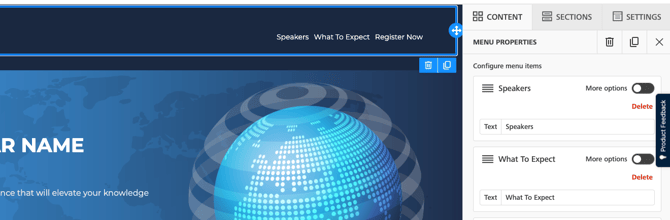
How to Add a Synced Header or Footer
To add a synced section:
- Open any page.
- Select the header or footer.
- Click Save Section

- Input the details of the Section
Decide on a section name, a category, and if the section should be 'synced' and used on other pages, or if it is a 'Regular' section which can be reusable however will not appear on other pages.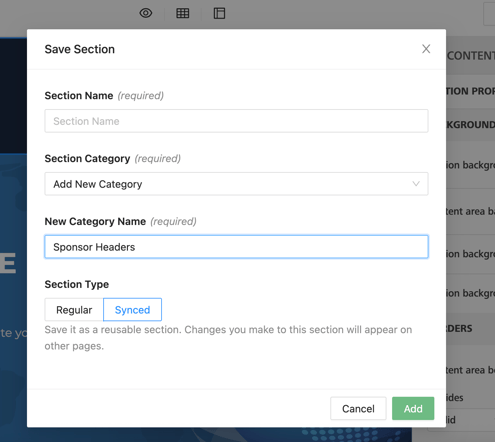
- Select Add
- Lastly, select 'Save and Publish'
All pages using that synced section will update automatically.
Unsync a Header or Footer
Sometimes you may want a page to have a different header or footer.
To do this, you can unsync the section.
After unsyncing:
- The section becomes unique to that page
- Changes will only affect that page
Other pages will keep the original synced section.
Converting a Header into a Synced Section
A header can be converted into a synced header.
However, syncing a header does not automatically update other pages that have their own headers.
Example
- Page A has a header.
- Page B also has a header.
- You convert the header on Page A into a synced header.
Now:
- Page A uses the synced header
- Page B still uses its original header
To sync Page B:
- Remove the existing header from Page B.
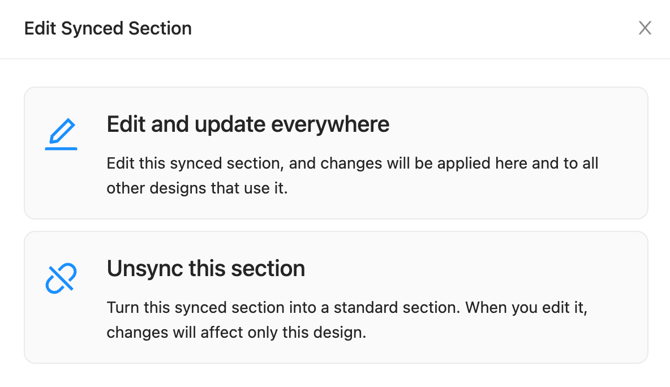
- Under Edit Synced Section, choose “Edit and update everywhere.”
- Edit the synced header.
Now both pages use the same synced header.
Future changes will update both pages.
Best Practices
For most websites:
- Keep headers synced to maintain consistent navigation
- Keep footers synced for contact info and event details
- Only unsync sections if a page requires a different layout
This helps keep your website easier to manage.
How to Set Up a Sticky Header (Menu) on Your Website
Steps to Enable a Sticky Header:
- Open your page in the website designer.
- Click on the Menu Widget
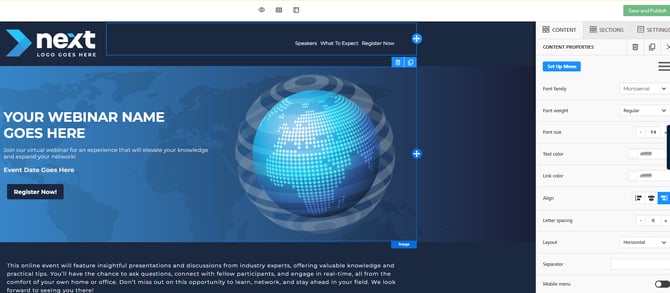
- Locate the “Stick to the top” toggle in the Set up Menu
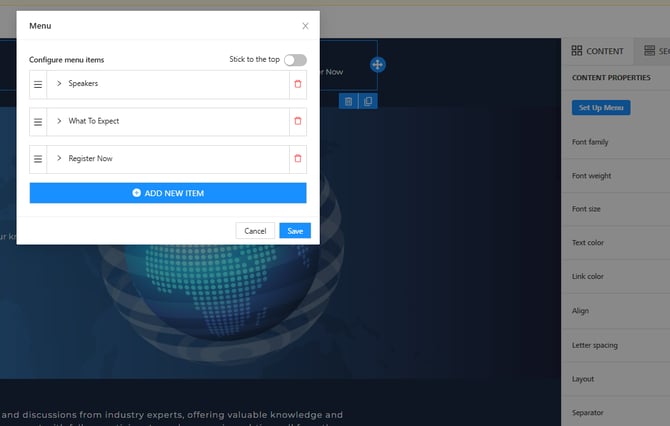
- Enable the toggle – the menu will now stay fixed at the top of the browser window as you scroll.
- Disable the toggle if you want the menu to scroll normally with the page content.
🔍Tip:
- Use a sticky header for pages with long content or multiple sections to help visitors navigate more easily.
- Ensure the header has a background color or subtle shadow so it stands out over page content.
FAQ
Do headers and footers behave the same way?
Yes. Both follow the same synced section behavior.
If I change a synced header, will it update every page?
It will update every page that uses that synced header.
Why didn’t my header update on another page?
That page may be using a different header.
Remove the existing header and add the synced header to link them.
Can I turn a unique header into a synced header?
Yes. You can convert a header into a synced section.
However, other pages will not automatically adopt it.
Can I have different headers on different pages?
Yes. Unsync the header for that page and edit it independently.