![1589391206704.png]](https://help.eventmobi.com/hs-fs/hubfs/1589391206704.png?width=40&height=40&name=1589391206704.png)
- Copy your wall URL
- Add a Social wall to your Event App
- Add a Social wall to your Event App > Live Display
- Support
1. Sign up at Walls.io & set up your social wall
To get started, sign up for a Walls.io trial. Setting up your social wall is fairly easy - connect your social media accounts and start adding sources – i.e. hashtags around your brand and products, or your owned social media accounts. For further information, check out the tutorial or watch the video below!
2. Copy the link to your Walls.io social wall
In your Walls.io account, click on the eye 👁️ icon to view your wall and copy the link to your wall (e.g. https://my.walls.io/starbucks):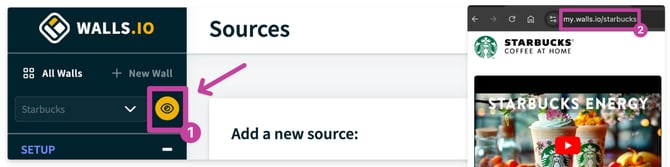
3. Embed your Walls.io social wall on your Event
Go to "Event App", expand the section and navigate to "Menu Sections". In there, hover over "Add Sections":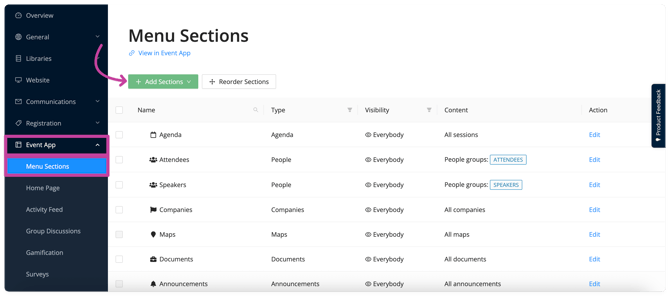
Select "Link".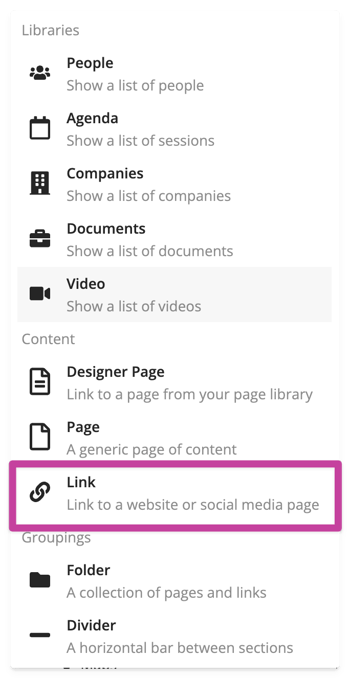
Once you click on "Link", a configuration modal will open. Here, you set the Section Name, add your wall's URL from step 2, and add the section: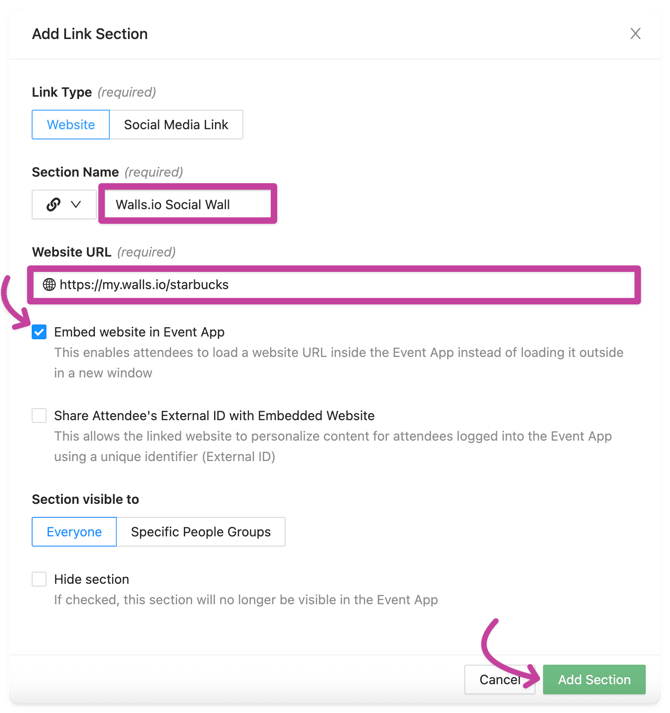
Adding your social wall to the Live Display
Go to the Event App, click "Onsite Tools", expand the section, and navigate to "Live Display".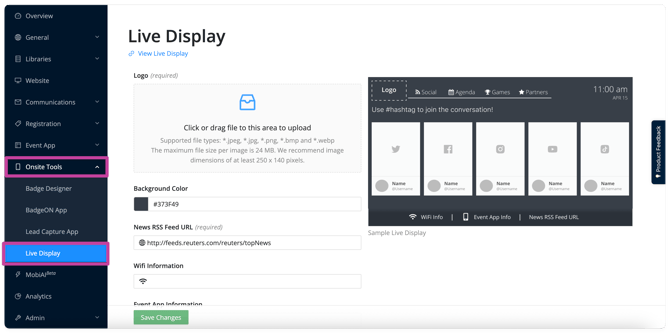
On the same page, scroll down until you see the "Screens" section. Navigate to the "Social" screen and click "Edit": 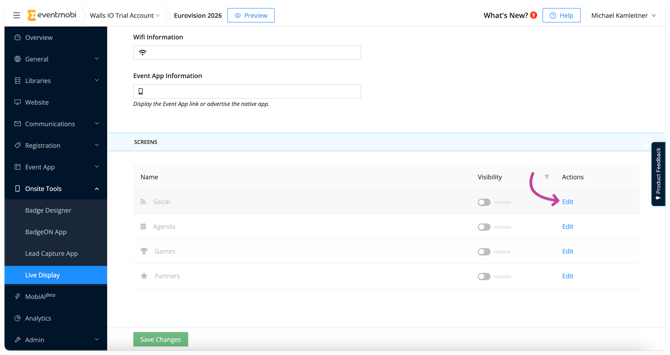
After the configuration modal pops up, this now allows you to set the Screen Name and add your social wall's URL from step 2. Make sure "Hide Screen?" is unchecked and click "Save":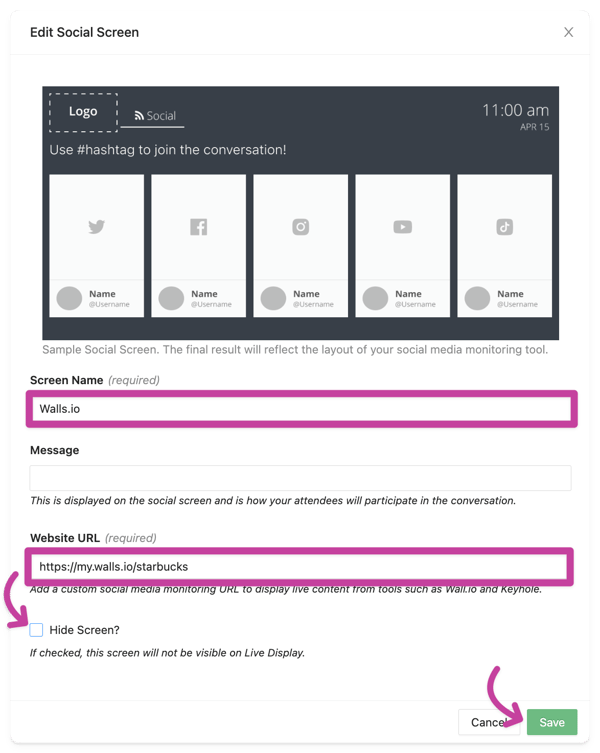
To conclude, now your social wall is successfully embedded on your Event App !
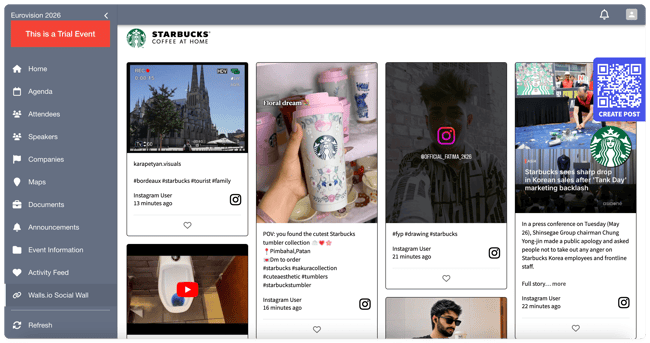
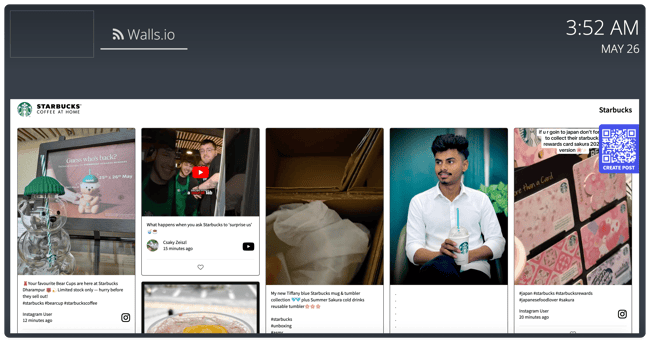
Once you have added your social wall, you can "Preview" the event website at the top and check out how it looks. You can choose between your Event App and Live Display, depending on where you embedded your social wall: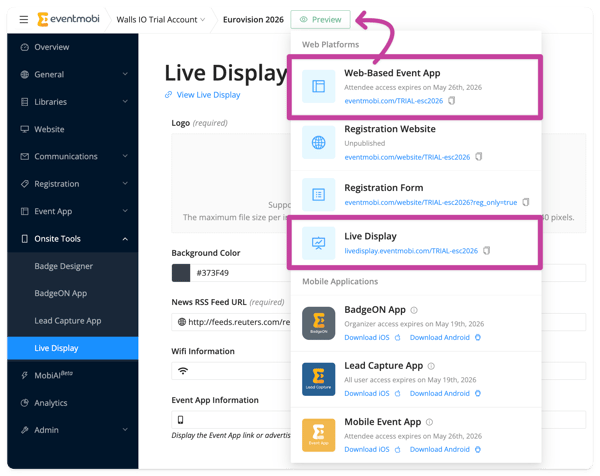
Viewing The Social Wall In The Event App:
On the Live Display:
🔍 Important Note: The Walls.io widget is fully responsive – which means it will automatically adapt to the size of the section you are embedding it to.
✅ Try out the different layouts! Walls.io offers a variety of diverse layouts to display your wall. Continue to read here or here for more details!
Support
To explore adding this feature to your package please feel free to contact your sales rep or sales@eventmobi.com.
If you are experiencing issues or need further assistance, please don't hesitate to contact the Walls.io support team via the chat here or support@walls.io.